개발 관련
centos ssl 개인키에서 패스워드 제거하기
더블와이
2022. 6. 2. 10:36
728x90
- 개인키에서 PW 제거
[root@localhost]~# cp server.key server.key.origin
[root@localhost]~# openssl rsa -in server.key.origin -out server.key
[root@localhost]~# ll server*
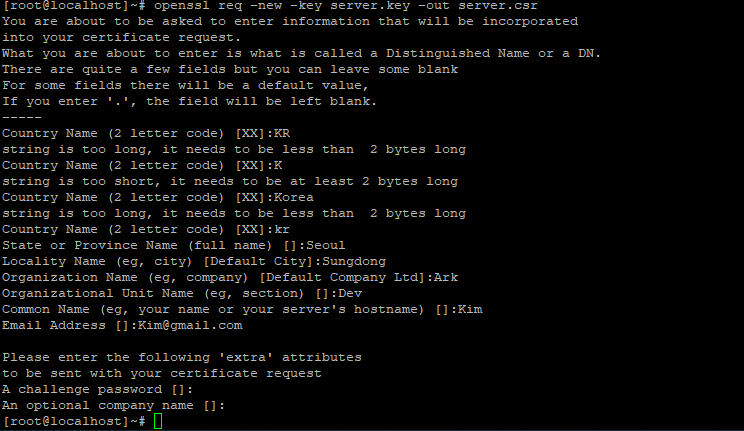
[root@localhost]~# openssl req -new -key server.key -out server.csr
You are about to be asked to enter information that will be incorporated
into your certificate request.
What you are about to enter is what is called a Distinguished Name or a DN.
There are quite a few fields but you can leave some blank
For some fields there will be a default value,
If you enter '.', the field will be left blank.
-----
Country Name (2 letter code) [XX]:KR
string is too long, it needs to be less than  2 bytes long
Country Name (2 letter code) [XX]:K
string is too short, it needs to be at least 2 bytes long
Country Name (2 letter code) [XX]:Korea
string is too long, it needs to be less than  2 bytes long
Country Name (2 letter code) [XX]:kr
State or Province Name (full name) []:Seoul
Locality Name (eg, city) [Default City]:Sungdong
Organization Name (eg, company) [Default Company Ltd]:Ark
Organizational Unit Name (eg, section) []:Dev
Common Name (eg, your name or your server's hostname) []:Kim
Email Address []:Kim@gmail.com

Please enter the following 'extra' attributes
to be sent with your certificate request
A challenge password []:
An optional company name []:
A challenge password []: 엔터 하면 됨
An optional company name []:엔터 하면 됨
- 개인키 생성됨
- 인증서 생성 -> 개인키, 인증요청서로 인증서 생성
[root@localhost]~# openssl x509 -req -days 3650 -in server.csr -signkey server.key -out server.crt
Signature ok
subject=/C=@@/ST=@@/L=@@/O=Ark/OU=@@/CN=@@/emailAddress=@@@gmail.com
Getting Private key
[root@localhost]~# cat server.key | head -3
-----BEGIN RSA PRIVATE KEY-----
MIIEpAIBAAKCAQEA1Gir2+t9Aq3..
RVcKfnDHVJyF9oQTajMvocOEZOG..
[root@localhost]~# cat server.crt | head -3
-----BEGIN CERTIFICATE-----
MIIDbDCCAlQCCQDZAvp/GqAFMDA..
cjEOMAwGA1UECAwFU2VvdWwxETA..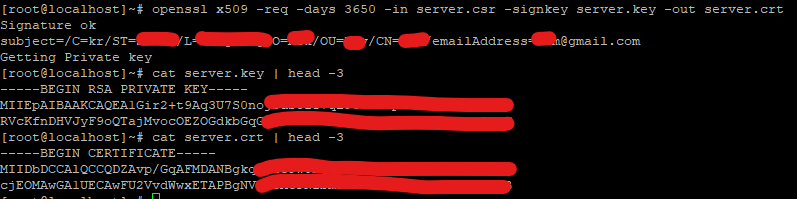
728x90